
Vectcor Demo
Scheduling Command Center
See unscheduled work, incoming handoffs, and workload trends together. Open the Serviceboard to plan the next assignment.
Enlarge screenshot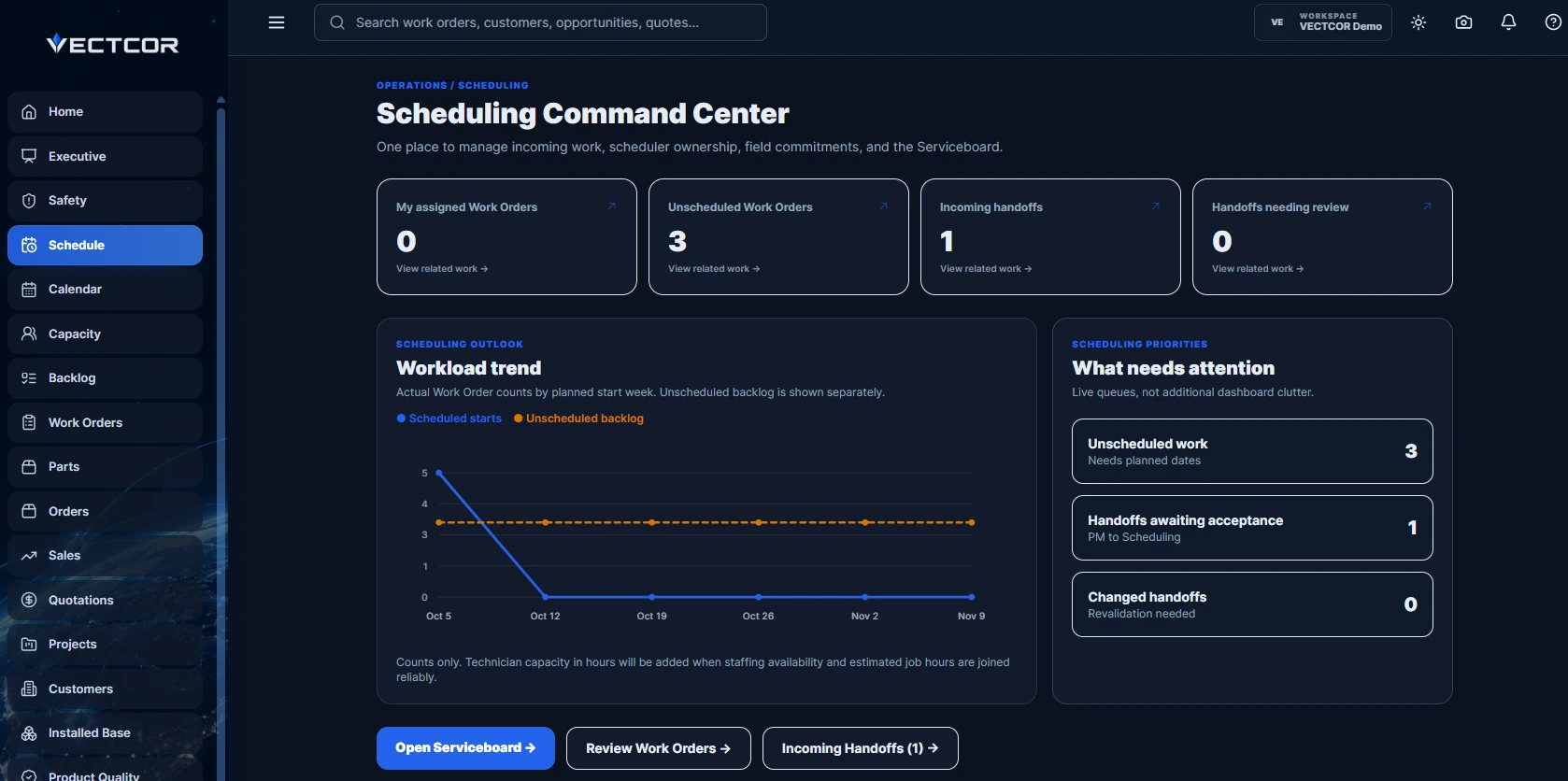

Field service management
Bring sales, dispatch, and technicians together around the same equipment, job scope, and service history.
Inside the platform
Start with the work order. Follow the equipment, skills, and service history that help your team plan a visit.
Platform overviewVectcor Demo
See unscheduled work, incoming handoffs, and workload trends together. Open the Serviceboard to plan the next assignment.
Enlarge screenshotVectcor Demo
Review the installed controller version and the approved update within the work order. Record an installation or document a customer deferral during the visit.
Enlarge screenshot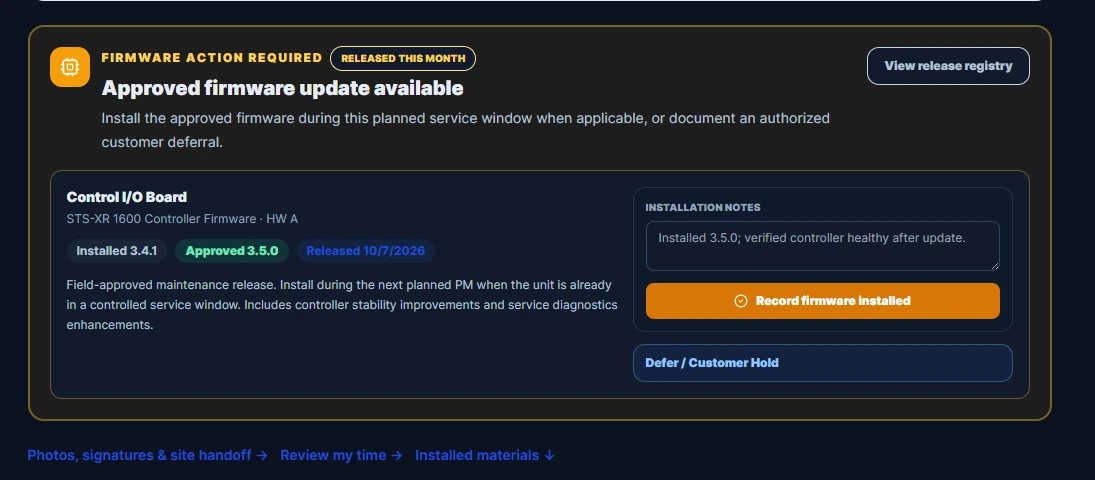
Vectcor Demo
Bring service and commercial indicators into a leadership review. Explore the Executive Brief using figures from Vectcor’s demo workspace.
Enlarge screenshot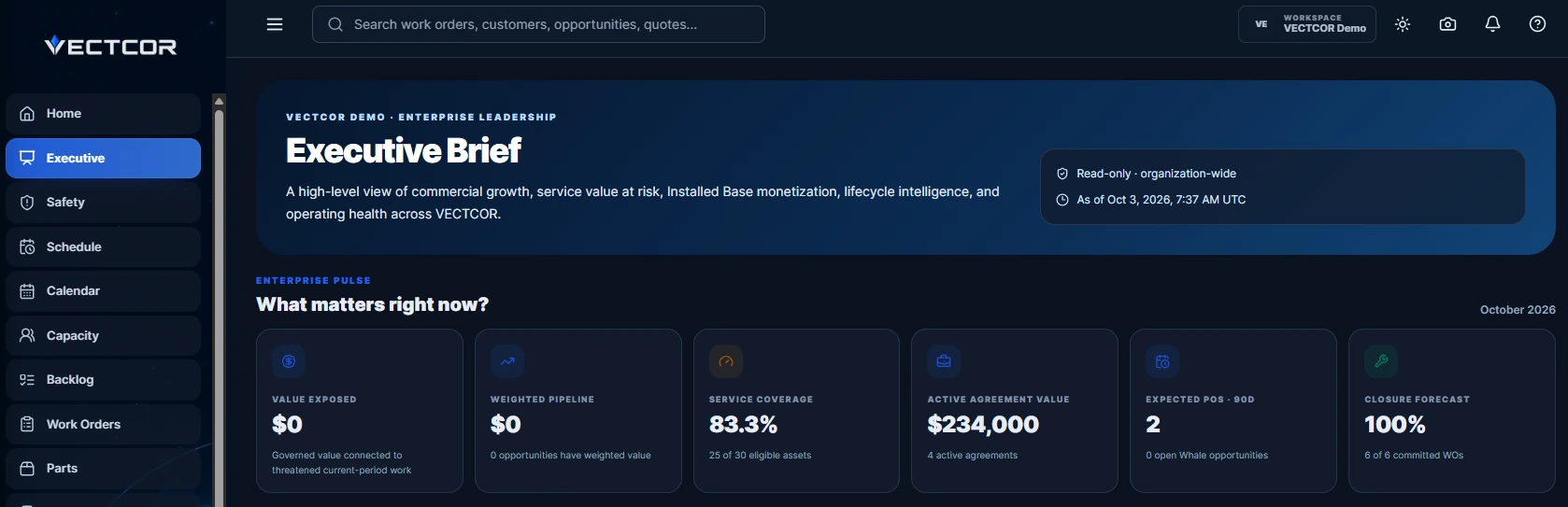
Interactive product demo
Build a sample transfer switch. A finish changes its appearance. Triple modular redundancy changes the parts list and the skill a scheduler needs to find.
Open the full demoPlans & capabilities
Start with everyday field operations. Add commercial tools, planning, and enterprise oversight as the scope of your operation grows.
Compare all capabilitiesField operations
Give dispatchers and technicians the tools to plan, execute, and record daily service work.
Connected operations
Bring sales, engineering, and service planning into the same customer workflow.
Enterprise oversight
Give leadership a wider view of performance and the controls for a larger operation.
Guided walkthrough
Tell us which workflow you want to see. We’ll follow it in Vectcor, from a scheduling decision to a configured order or a completed service visit.
Checking walkthrough availability…